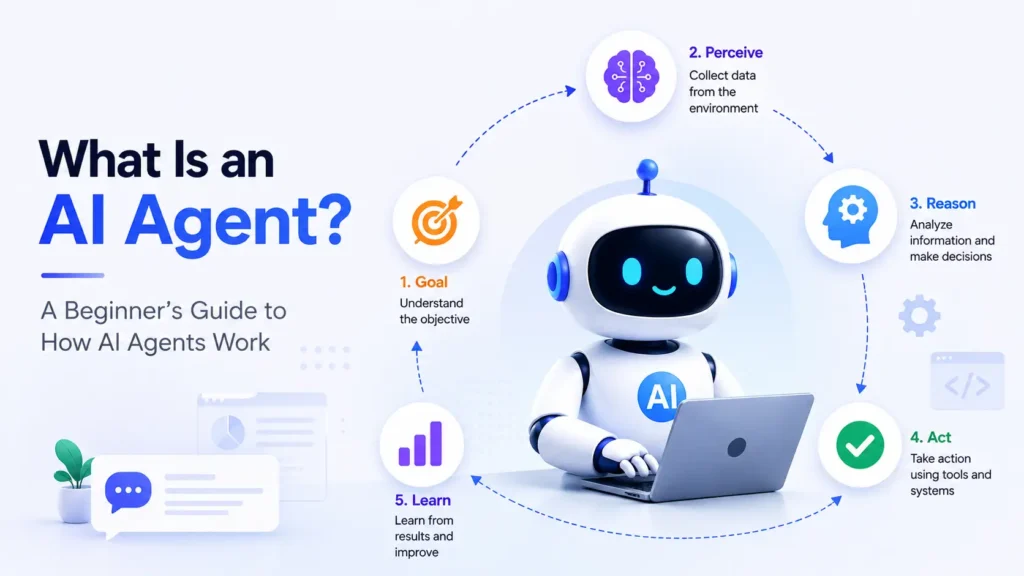
Artificial intelligence has moved far beyond simple chatbots and text generators. Today’s AI systems can plan projects, browse the web, analyze documents, automate workflows, write code, schedule meetings, interact with software, and complete complex tasks with minimal human input. These intelligent systems are known as AI agents, and they’re changing how businesses and individuals work.
Whether you’re a marketer looking to automate content creation, a sales team trying to qualify leads faster, or a developer building autonomous workflows, there’s now an AI agent designed for your needs.
The rapid growth of AI agent platforms has also created a challenge: which tool should you choose?
Some AI agents excel at research, while others focus on coding, workflow automation, customer support, or enterprise collaboration. Pricing, integrations, memory, and ease of use also vary significantly.
In this guide, we’ve carefully selected the 15 best AI agent tools in 2026 and compared them based on features, pricing, strengths, limitations, and ideal use cases.
By the end of this article, you’ll know which AI agent is the right fit for your business, team, or personal productivity.
What You’ll Learn
- What an AI agent tool is
- How AI agent tools differ from chatbots
- The best AI agent platforms in 2026
- Features, pricing, pros, and cons of each tool
- Which AI agent is best for different use cases
- How to choose the right AI agent for your needs
Quick Comparison of the Best AI Agent Tools in 2026
If you’re short on time, here’s a quick overview of the top AI agent platforms featured in this guide.
| Tool | Best For | Free Plan | Starting Price* | No-Code | Enterprise Ready |
|---|---|---|---|---|---|
| ChatGPT Agent | General productivity & research | Yes | Varies by plan | ✅ | ✅ |
| Manus AI | Autonomous research | Limited | Varies | ✅ | ✅ |
| Genspark AI | Knowledge discovery | Limited | Varies | ✅ | ✅ |
| n8n AI Agent | Workflow automation | Yes | Self-hosted & cloud options | ✅ | ✅ |
| Lindy | Executive assistance | Yes | Varies | ✅ | ✅ |
| Relevance AI | Business automation | Yes | Varies | ✅ | ✅ |
| CrewAI | Multi-agent collaboration | No | Open-source | ❌ | ✅ |
| LangGraph | Enterprise AI workflows | No | Open-source | ❌ | ✅ |
| AutoGen | Multi-agent systems | No | Open-source | ❌ | ✅ |
| OpenAI Agents SDK | Custom AI agents | API-based | Pay-as-you-go | ❌ | ✅ |
| AgentGPT | Autonomous web agents | Yes | Varies | ✅ | Limited |
| Flowise | Visual AI workflows | Open-source | Self-hosted | ✅ | ✅ |
| Microsoft Copilot Studio | Microsoft ecosystem | Trial | Enterprise pricing | ✅ | ✅ |
| Google Vertex AI Agent Builder | Google Cloud | Trial | Usage-based | ❌ | ✅ |
| Salesforce Agentforce | CRM automation | Enterprise | Contact sales | ✅ | ✅ |
*Pricing changes frequently. Always check the official website before making a purchasing decision.
What Is an AI Agent Tool?
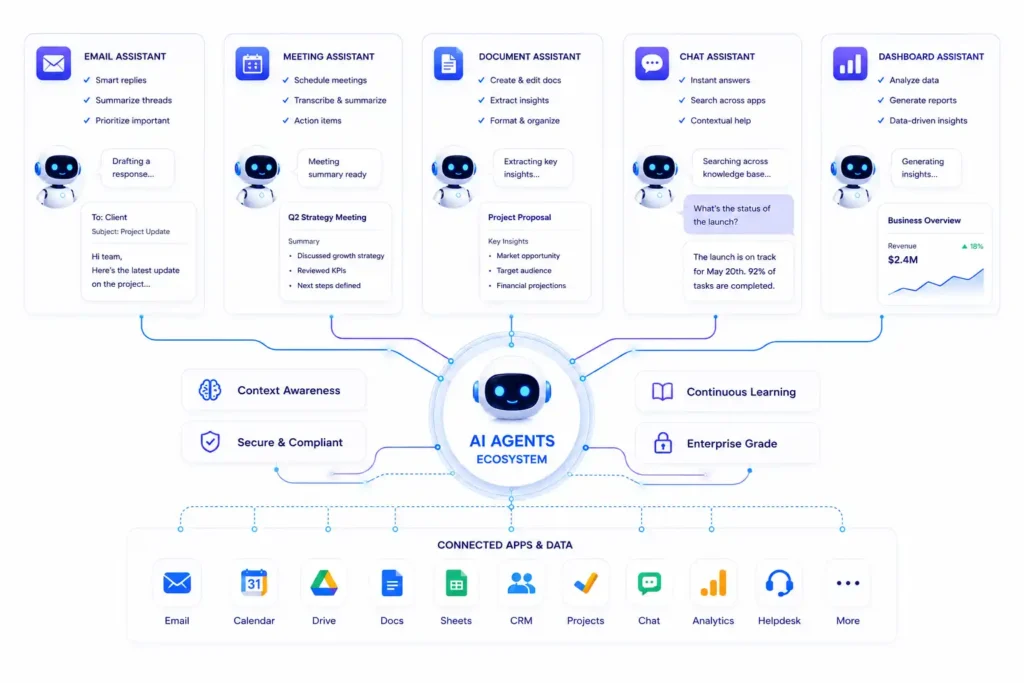
An AI agent tool is software that uses artificial intelligence to understand goals, create plans, use external tools, and complete tasks with little or no human supervision.
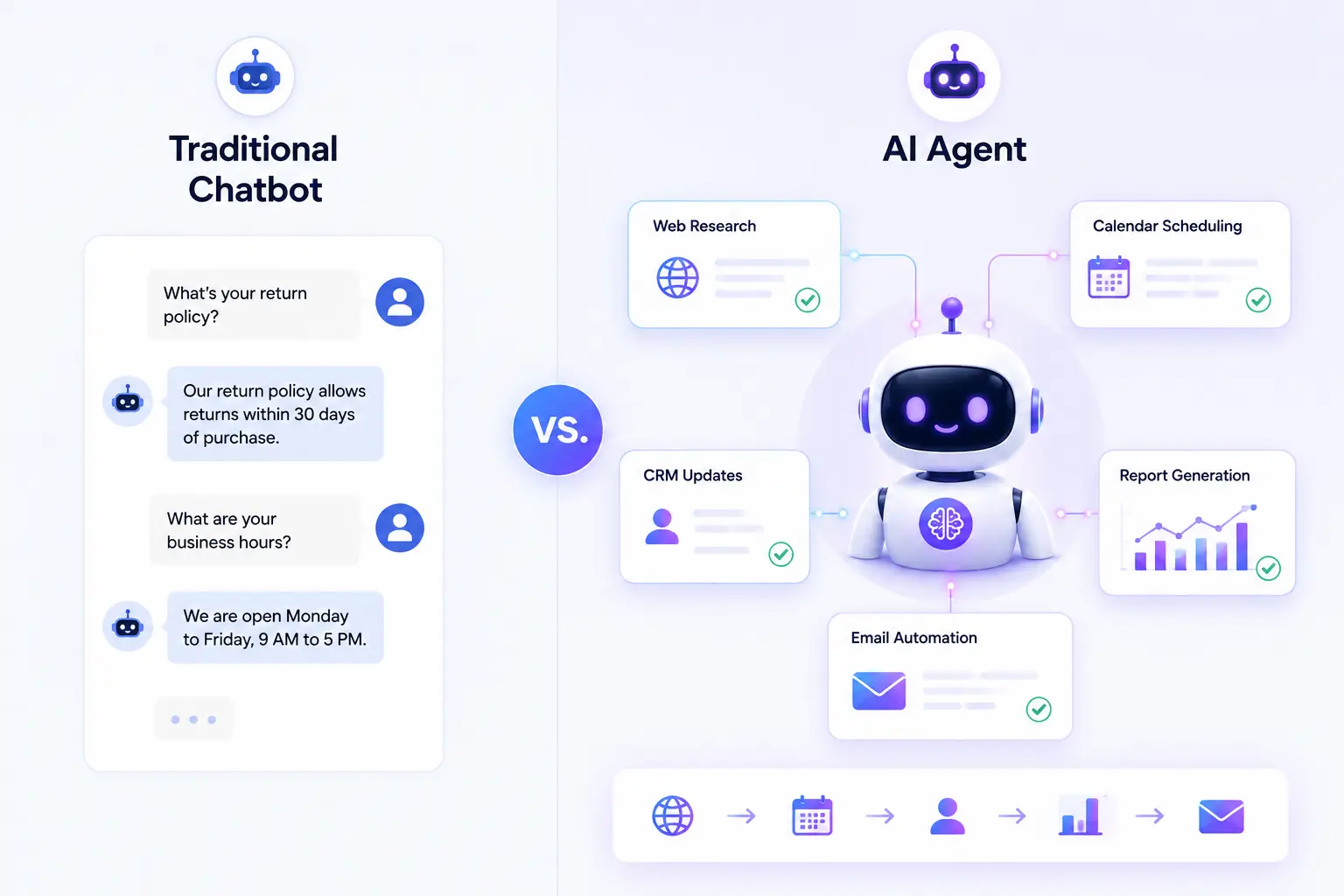
Unlike traditional AI assistants that simply answer prompts, AI agent tools can execute complete workflows.
For example, if you ask a chatbot to create a marketing report, it may generate a summary.
An AI agent, however, can:
- Search for the latest industry trends
- Analyze competitor websites
- Collect analytics data
- Generate charts
- Write a report
- Email it to your team
- Schedule a follow-up reminder
All from a single instruction.
This ability to reason, plan, and take action makes AI agents far more powerful than conventional AI applications.
Core Features of AI Agent Tools
Most modern AI agent platforms include:
- Goal-based task execution
- Multi-step reasoning
- Memory for context retention
- Integration with third-party apps
- API connectivity
- Workflow automation
- File and document analysis
- Web browsing
- Team collaboration
- Natural language interaction
These capabilities allow AI agents to automate processes that once required significant human effort.
How We Evaluated These AI Agent Tools
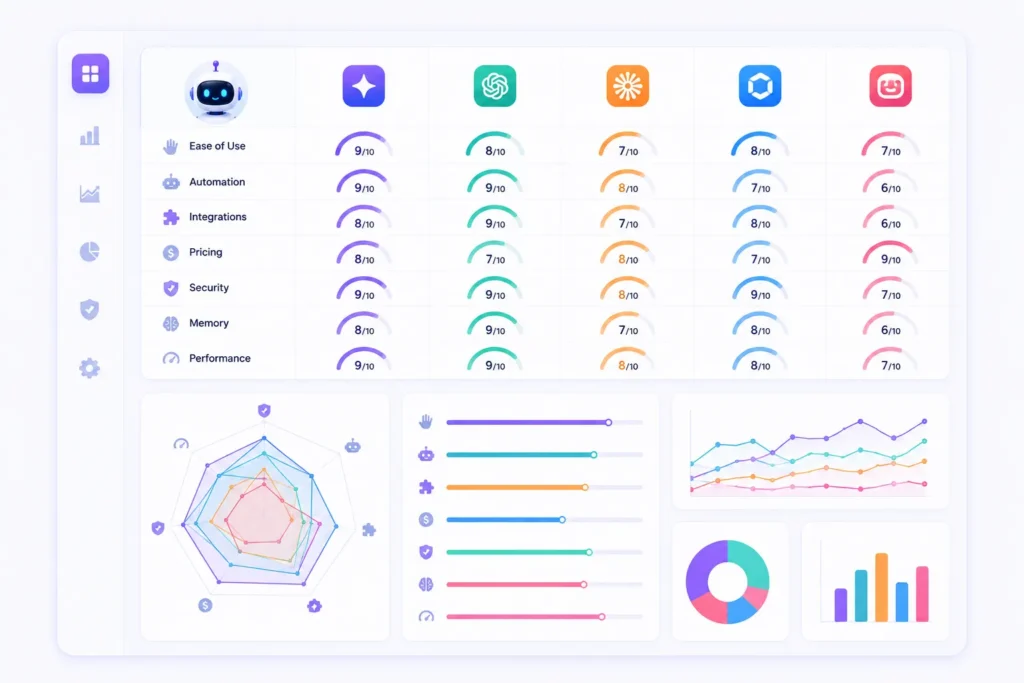
With dozens of AI agent platforms available, choosing the right one can be overwhelming. To create this list, we evaluated each tool using criteria that matter most to businesses, developers, and individual users.
1. Ease of Use
Can beginners get started quickly, or does the platform require technical expertise?
Tools with intuitive interfaces and clear onboarding scored higher for accessibility.
2. AI Capabilities
We assessed how well each platform could:
- Understand complex instructions
- Plan multi-step tasks
- Reason through problems
- Generate accurate outputs
- Handle long-running workflows
3. Automation Features
The best AI agent tools automate complete workflows instead of isolated tasks.
We looked at capabilities such as:
- Task scheduling
- Trigger-based actions
- Multi-step workflows
- Autonomous execution
- Background processing
4. Integrations
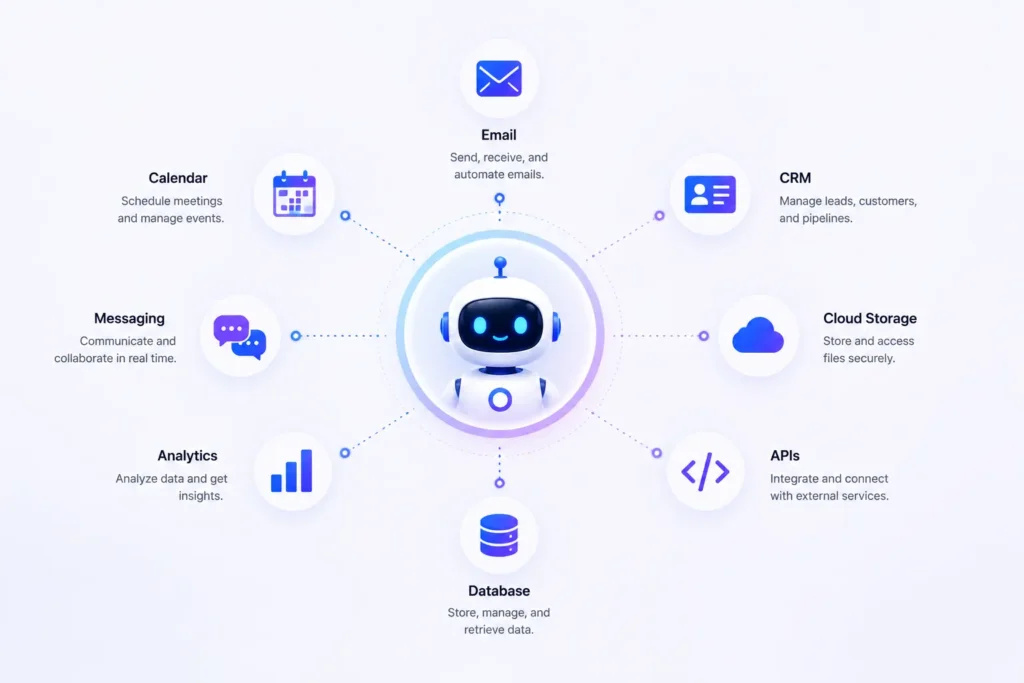
A powerful AI agent should connect with the software you already use.
We considered support for:
- Google Workspace
- Microsoft 365
- Slack
- Notion
- Salesforce
- HubSpot
- GitHub
- Zapier
- APIs
- Databases
5. Memory and Context
Agents that retain context and remember previous interactions deliver a more personalized and efficient experience.
We evaluated whether each platform supports:
- Session memory
- Long-term memory
- User preferences
- Persistent workflows
6. Pricing and Value
Instead of focusing only on cost, we compared the value each platform provides relative to its features, scalability, and target audience.
7. Security and Reliability
For business users, security is essential.
We considered:
- Access controls
- Data privacy
- Enterprise features
- Compliance options
- Reliability for production use
Best AI Agent Tools in 2026
1. ChatGPT Agent
Overview
ChatGPT Agent is one of the most versatile AI agent platforms available today. It combines advanced reasoning with the ability to browse the web, analyze files, interact with connected tools, and complete multi-step tasks from a single prompt.
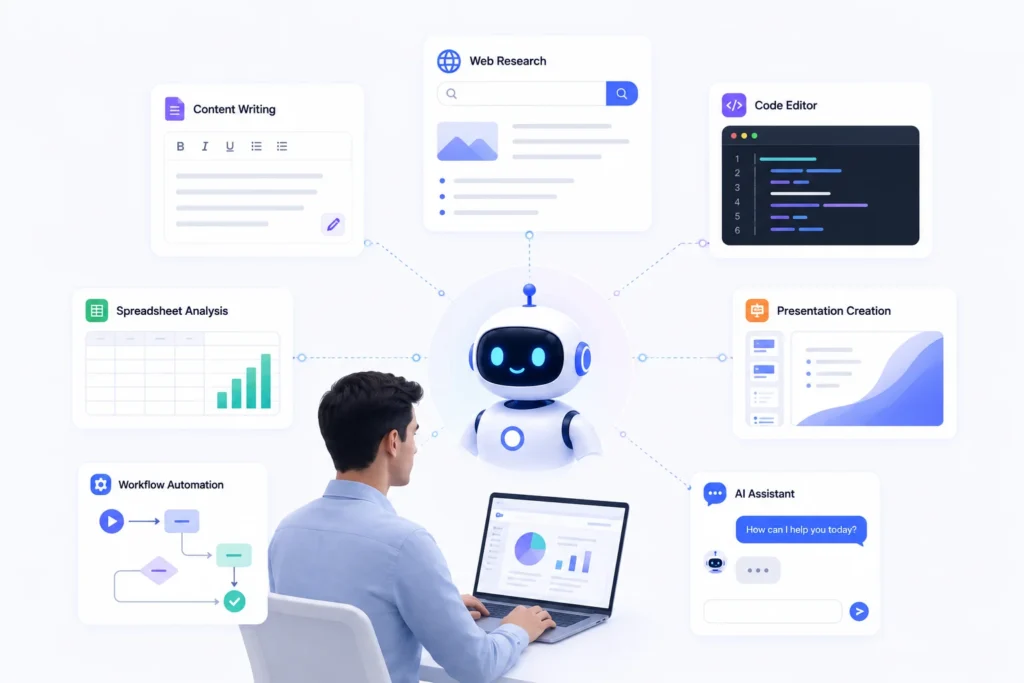
Whether you’re writing content, researching competitors, summarizing documents, creating presentations, or planning projects, ChatGPT Agent adapts to a wide range of professional and personal workflows.
Its ease of use makes it a strong choice for beginners, while its advanced capabilities also appeal to developers, analysts, marketers, and enterprise teams.
Best For
- Content creators
- Marketers
- Researchers
- Business professionals
- Developers
- Students
- Small businesses
Key Features
- Advanced natural language understanding
- Multi-step task execution
- Web browsing
- Document analysis
- Code generation and debugging
- Data analysis
- Workflow planning
- Memory (depending on plan and settings)
- File uploads
- Custom GPTs and integrations
Pros
- Easy to use
- Excellent reasoning capabilities
- Supports a wide range of tasks
- Strong ecosystem and frequent updates
- Suitable for both individuals and teams
Cons
- Some advanced capabilities depend on your subscription plan.
- Performance may vary based on connected tools and external services.
Pricing
| Plan | Pricing |
|---|---|
| Free | Available |
| Paid Plans | Vary by subscription tier |
| Enterprise | Custom pricing |
Ideal Users
- Freelancers
- Marketing teams
- Agencies
- Researchers
- Students
- Business owners
Overall Rating
| Category | Rating |
|---|---|
| Ease of Use | ⭐⭐⭐⭐⭐ |
| AI Capabilities | ⭐⭐⭐⭐⭐ |
| Automation | ⭐⭐⭐⭐☆ |
| Integrations | ⭐⭐⭐⭐☆ |
| Business Value | ⭐⭐⭐⭐⭐ |
2. Manus AI
Overview
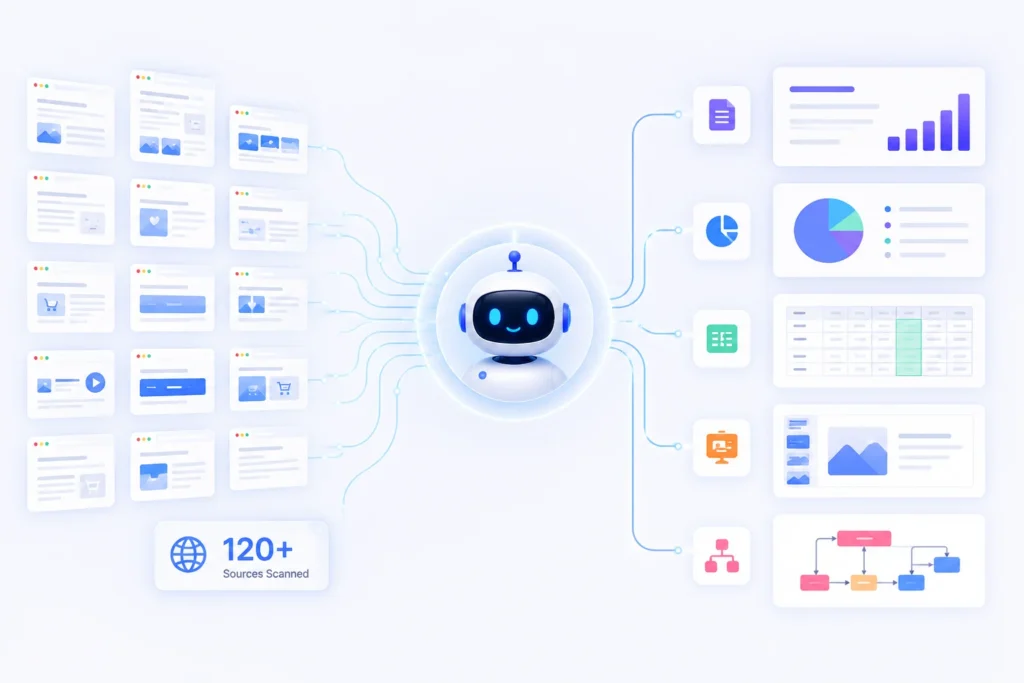
Manus AI has quickly gained attention for its ability to execute complex tasks with minimal supervision. Unlike traditional AI assistants that simply respond to prompts, Manus AI is designed to plan, execute, and refine multi-step workflows autonomously.
You can assign it a goal like:
“Research the top AI CRM software, compare pricing, create a presentation, and email it to my team.”
Instead of asking for further instructions, Manus AI works through the entire process by researching information, organizing findings, creating documents, and preparing deliverables.
This makes it particularly valuable for consultants, researchers, analysts, entrepreneurs, and business teams that regularly perform repetitive knowledge work.
Best For
- Market research
- Competitor analysis
- Business reports
- Presentation creation
- Data collection
- Knowledge work
Key Features
- Autonomous task execution
- Web research
- Multi-step planning
- Report generation
- Presentation creation
- Workflow automation
- File analysis
- Document summarization
- Data organization
- Goal-oriented reasoning
Pros
✔ Excellent at completing long-running tasks
✔ Produces organized reports
✔ Minimal supervision required
✔ Strong reasoning capabilities
✔ Saves hours of manual research
Cons
✖ May require review before sharing business-critical reports
✖ Availability and access may vary by region or waitlist status
Pricing
| Plan | Pricing |
|---|---|
| Free | Limited availability |
| Paid | Varies by subscription |
| Enterprise | Contact Sales |
Ideal Users
- Consultants
- Researchers
- Agencies
- Business owners
- Product managers
- Students
Why Choose Manus AI?
If your daily work involves collecting information, comparing products, writing reports, or preparing presentations, Manus AI can dramatically reduce manual effort by handling the entire research workflow.
Overall Rating
| Category | Rating |
|---|---|
| Ease of Use | ⭐⭐⭐⭐☆ |
| AI Reasoning | ⭐⭐⭐⭐⭐ |
| Research | ⭐⭐⭐⭐⭐ |
| Automation | ⭐⭐⭐⭐⭐ |
| Business Value | ⭐⭐⭐⭐⭐ |
3. Genspark AI
Overview
Genspark AI focuses on knowledge discovery and information synthesis. Instead of returning a list of search results, it gathers information from multiple trusted sources, organizes it into structured summaries, and presents actionable insights.
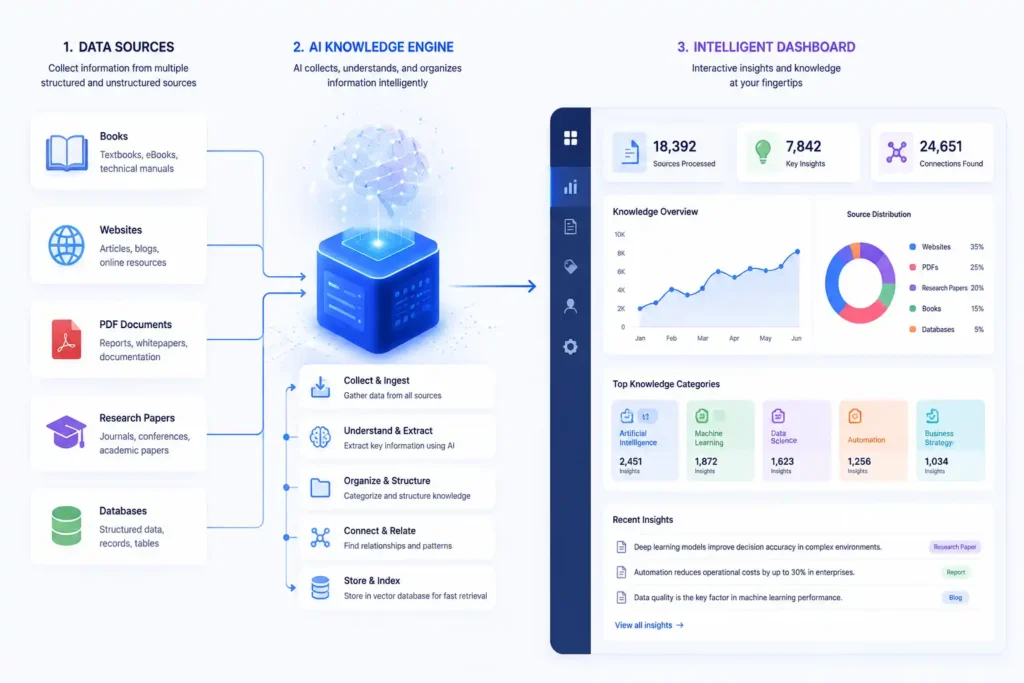
For professionals overwhelmed by information overload, Genspark AI simplifies the research process by reducing the time spent searching across multiple websites.
Whether you’re comparing software, exploring a new topic, or gathering background information for a project, Genspark AI acts as an intelligent research companion.
Best For
- Knowledge discovery
- Product comparisons
- Research
- Learning
- Business intelligence
Key Features
- AI-generated knowledge pages
- Multi-source research
- Topic summaries
- Structured information
- Citation support
- Fast information retrieval
- Document analysis
- Intelligent recommendations
Pros
✔ Fast research experience
✔ Well-organized summaries
✔ Easy for beginners
✔ Helpful for comparing products
✔ Saves time during information gathering
Cons
✖ Less focused on workflow automation
✖ Advanced enterprise features are more limited than automation-first platforms
Pricing
| Plan | Pricing |
|---|---|
| Free | Available with limitations |
| Premium | Varies |
| Enterprise | Contact Sales |
Ideal Users
- Students
- Researchers
- Writers
- Journalists
- Business analysts
- Product managers
Why Choose Genspark AI?
Choose Genspark AI if your primary need is finding trustworthy information quickly and turning scattered research into structured knowledge.
Overall Rating
| Category | Rating |
|---|---|
| Ease of Use | ⭐⭐⭐⭐⭐ |
| Research | ⭐⭐⭐⭐⭐ |
| Automation | ⭐⭐⭐☆☆ |
| Integrations | ⭐⭐⭐⭐☆ |
| Business Value | ⭐⭐⭐⭐☆ |
4. n8n AI Agent
Overview
n8n is one of the most popular workflow automation platforms, and its AI capabilities make it a strong choice for businesses that want to connect AI agents with existing software.
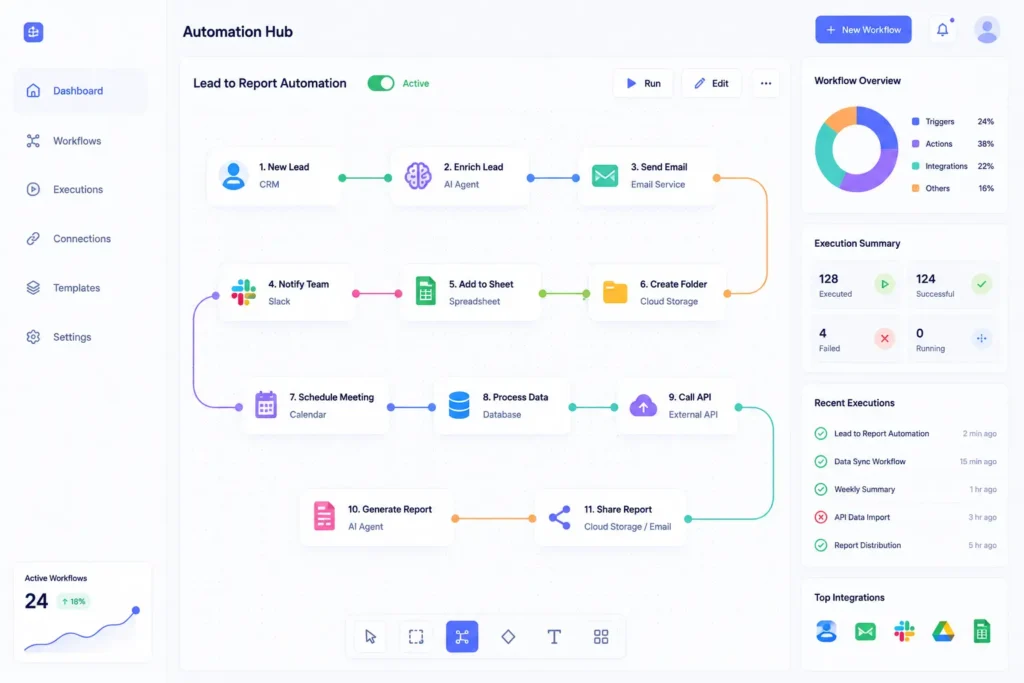
Instead of using AI in isolation, n8n allows you to build automated workflows that connect hundreds of applications, including CRMs, email platforms, cloud storage, messaging tools, databases, and APIs.
For example, an AI-powered workflow can:
- Monitor new leads from a website
- Enrich contact information
- Generate a personalized email
- Send the email automatically
- Update the CRM
- Notify the sales team in Slack
– all without manual intervention.
Best For
- Workflow automation
- Business operations
- API integrations
- No-code automation
- Internal business processes
Key Features
- Visual workflow builder
- AI-powered automation
- API connectivity
- Hundreds of integrations
- Trigger-based workflows
- Self-hosting option
- Cloud deployment
- Custom logic
- Database integrations
- Enterprise automation
Pros
✔ Extremely flexible
✔ Strong no-code experience
✔ Excellent integrations
✔ Supports self-hosting
✔ Large automation library
Cons
✖ Complex workflows may require some technical understanding
✖ Initial setup can take time
Pricing
| Plan | Pricing |
|---|---|
| Self-hosted | Free |
| Cloud | Starts with paid plans |
| Enterprise | Contact Sales |
Ideal Users
- Operations teams
- Agencies
- SaaS companies
- Marketing teams
- Sales teams
- Developers
Why Choose n8n?
If your goal is connecting AI with dozens of business applications and automating repetitive workflows, n8n is one of the strongest platforms available.
Overall Rating
| Category | Rating |
|---|---|
| Ease of Use | ⭐⭐⭐⭐☆ |
| Automation | ⭐⭐⭐⭐⭐ |
| Integrations | ⭐⭐⭐⭐⭐ |
| Scalability | ⭐⭐⭐⭐⭐ |
| Business Value | ⭐⭐⭐⭐⭐ |
5. Lindy
Overview
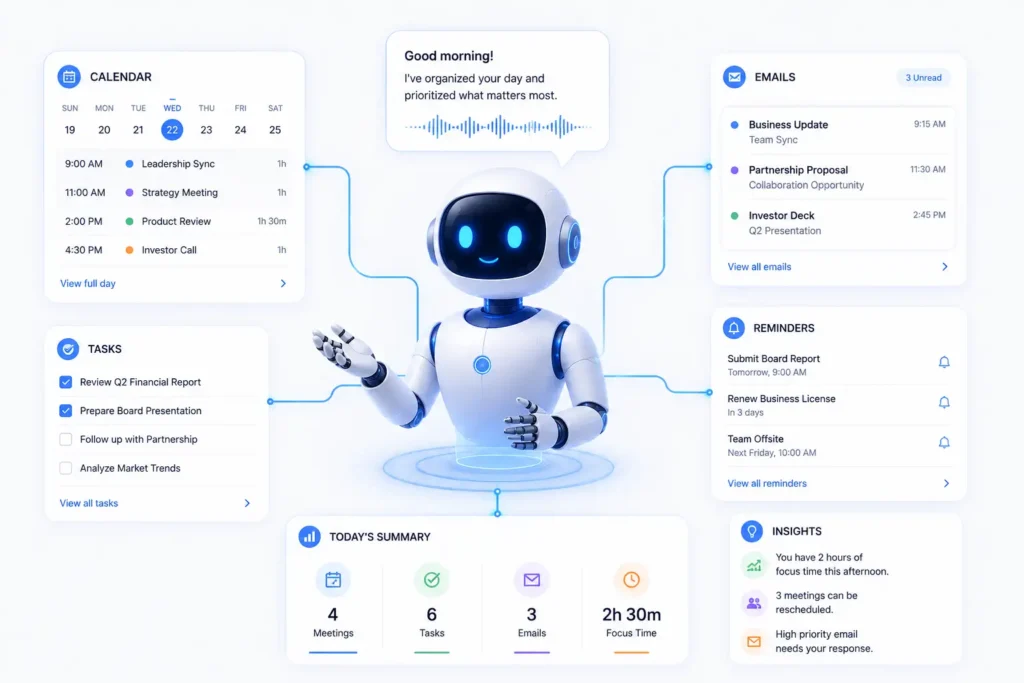
Lindy is designed to function as an AI executive assistant, helping professionals manage daily administrative work. It can automate scheduling, email management, meeting preparation, reminders, and follow-up tasks.
Rather than replacing your productivity tools, Lindy works alongside them, handling routine activities so you can focus on higher-value work.
For entrepreneurs, executives, consultants, and small business owners, Lindy acts like a digital personal assistant available around the clock.
Best For
- Executives
- Entrepreneurs
- Small businesses
- Consultants
- Administrative automation
Key Features
- Meeting scheduling
- Email drafting
- Calendar management
- Reminder automation
- Task organization
- Meeting preparation
- Follow-up emails
- Workflow automation
Pros
✔ Easy to use
✔ Saves time on administrative work
✔ Excellent scheduling capabilities
✔ Improves daily productivity
✔ Minimal setup required
Cons
✖ Less suitable for developer-focused automation
✖ Advanced enterprise customization is more limited
Pricing
| Plan | Pricing |
|---|---|
| Free | Available |
| Pro | Varies |
| Business | Contact Sales |
Ideal Users
- CEOs
- Founders
- Managers
- Freelancers
- Consultants
- Small business owners
Why Choose Lindy?
If your biggest productivity challenges involve emails, meetings, reminders, and scheduling, Lindy provides a practical AI assistant focused on everyday business operations.
Overall Rating
| Category | Rating |
|---|---|
| Ease of Use | ⭐⭐⭐⭐⭐ |
| Productivity | ⭐⭐⭐⭐⭐ |
| Automation | ⭐⭐⭐⭐☆ |
| Integrations | ⭐⭐⭐⭐☆ |
| Business Value | ⭐⭐⭐⭐☆ |
6. Relevance AI
Overview
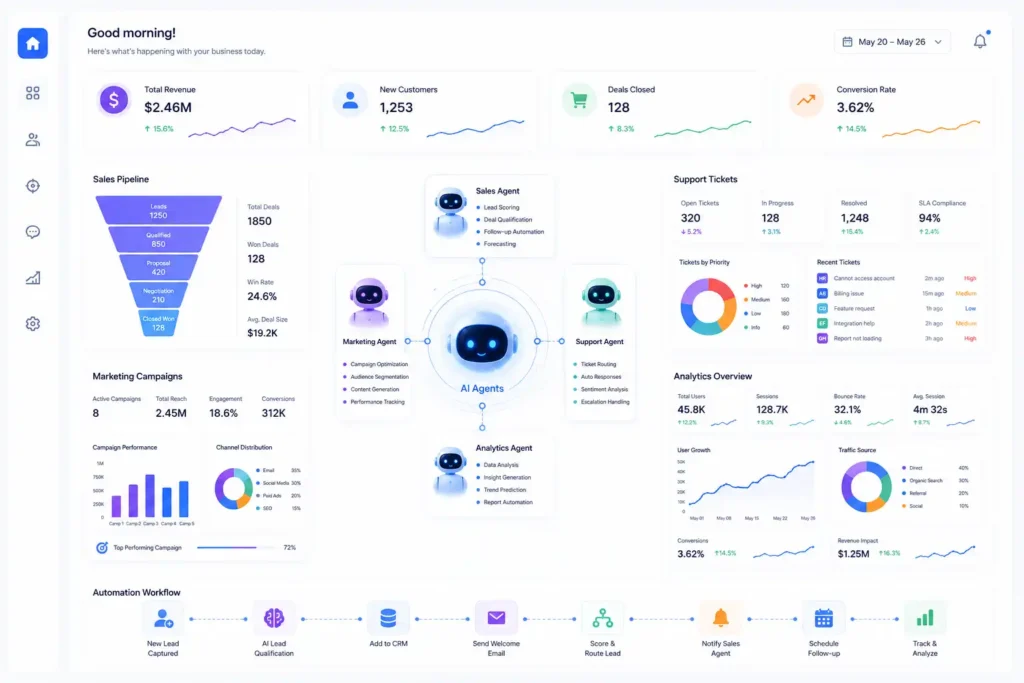
Relevance AI is an enterprise-focused AI platform that enables businesses to build, deploy, and manage AI agents without extensive coding. It combines workflow automation, data processing, and AI-powered decision-making into a single platform, making it an attractive choice for sales, marketing, customer support, and operations teams.
Instead of relying on a single AI assistant, organizations can create multiple AI agents, each assigned to specific roles such as lead qualification, customer support, or report generation. These agents can work independently or collaborate to complete larger business processes.
Best For
- Business automation
- Sales operations
- Marketing automation
- Customer support
- Internal business processes
Key Features
- No-code AI agent builder
- Multi-agent workflows
- Knowledge base integration
- CRM connectivity
- Data enrichment
- AI-powered dashboards
- Custom automations
- Team collaboration
- Analytics and reporting
Pros
✔ Beginner-friendly interface
✔ Strong business automation capabilities
✔ Supports multiple AI agents
✔ Excellent reporting features
✔ Scales well for growing businesses
Cons
✖ Advanced workflows may require time to configure
✖ Some enterprise features are only available on higher-tier plans
Pricing
| Plan | Pricing |
|---|---|
| Free | Available with limitations |
| Paid | Varies based on features |
| Enterprise | Custom pricing |
Ideal Users
- Marketing teams
- Sales teams
- Customer success teams
- Operations managers
- Growing businesses
Why Choose Relevance AI?
If your goal is to automate repetitive business processes without building complex systems from scratch, Relevance AI provides an excellent balance between ease of use and powerful automation.
Overall Rating
| Category | Rating |
|---|---|
| Ease of Use | ⭐⭐⭐⭐☆ |
| Business Automation | ⭐⭐⭐⭐⭐ |
| Integrations | ⭐⭐⭐⭐⭐ |
| Scalability | ⭐⭐⭐⭐⭐ |
| Business Value | ⭐⭐⭐⭐⭐ |
7. CrewAI
Overview
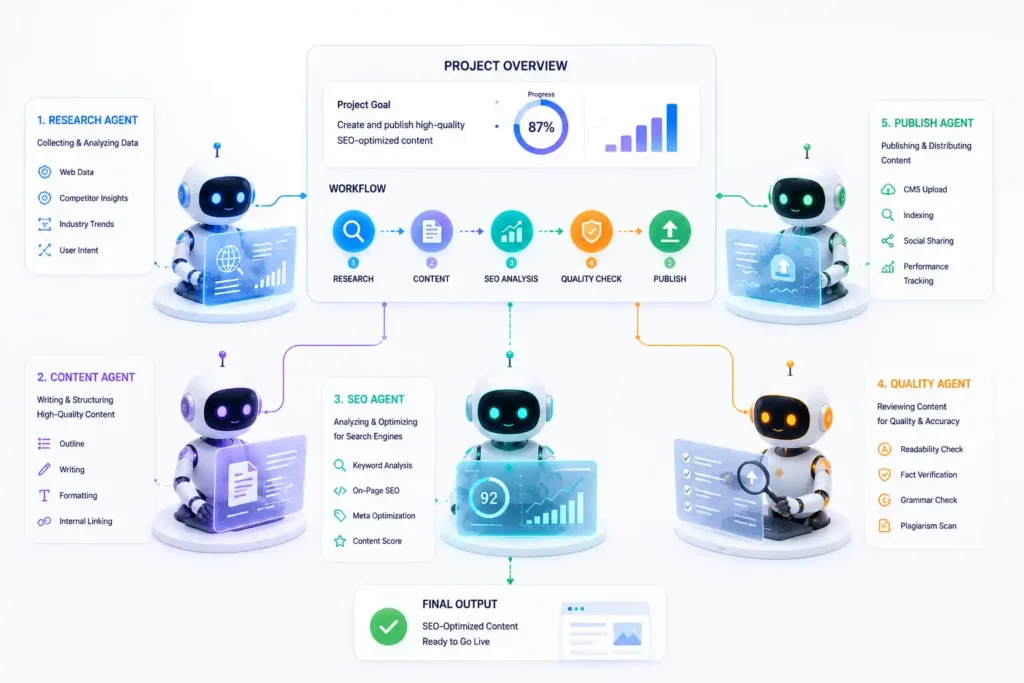
CrewAI is one of the leading frameworks for multi-agent collaboration. Instead of assigning every responsibility to one AI, CrewAI allows you to build a team of specialized AI agents that work together toward a common objective.
For example, a content marketing workflow can include:
- A Research Agent to gather information.
- An SEO Agent to identify keyword opportunities.
- A Writer Agent to draft the article.
- An Editor Agent to improve clarity and grammar.
- A Publishing Agent to format and publish the content.
This division of responsibilities often results in more organized and scalable workflows.
Best For
- Multi-agent systems
- Content creation pipelines
- Research projects
- Software development
- Business automation
Key Features
- Role-based AI agents
- Agent collaboration
- Task delegation
- Sequential workflows
- Tool integration
- Memory support
- Custom workflows
- Python integration
- Open-source flexibility
Pros
✔ Excellent for complex workflows
✔ Highly customizable
✔ Active developer community
✔ Encourages modular AI design
✔ Open-source
Cons
✖ Requires programming knowledge
✖ Less suitable for non-technical users
Pricing
| Plan | Pricing |
| Open Source | Free |
| Enterprise | Varies |
Ideal Users
- Developers
- AI engineers
- Startups
- Research teams
- Automation specialists
Why Choose CrewAI?
CrewAI is ideal for developers who want to create collaborative AI systems where multiple specialized agents work together to solve complex problems.
8. LangGraph
Overview
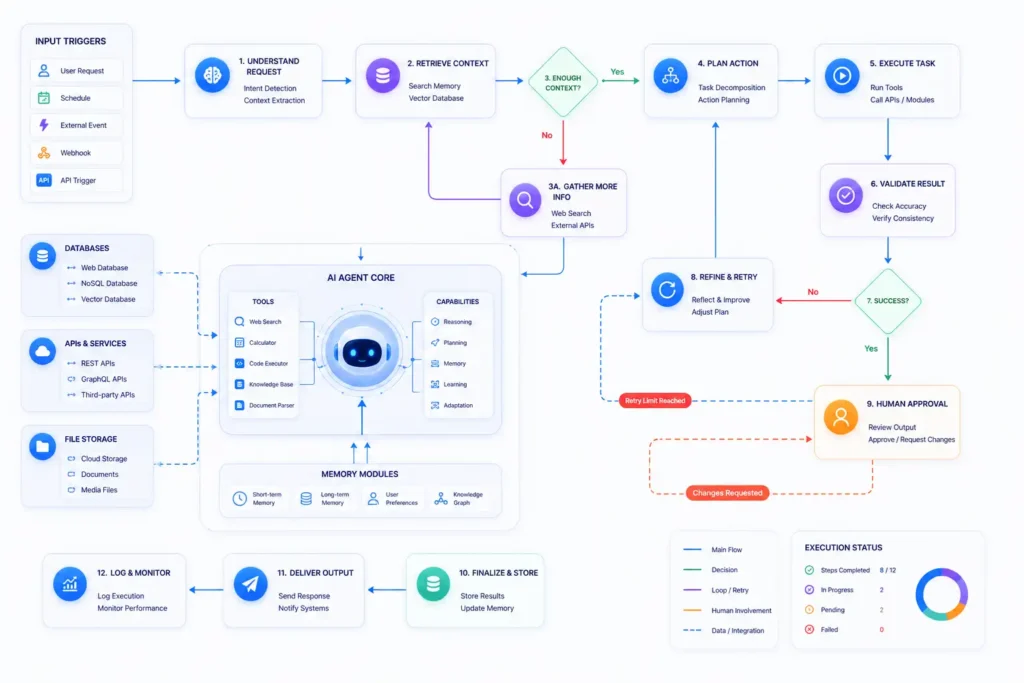
LangGraph is a powerful framework for building stateful AI agents capable of handling long-running, multi-step workflows. Unlike traditional linear workflows, LangGraph allows agents to revisit previous decisions, maintain context, and adapt their behavior as new information becomes available.
This makes it well suited for enterprise applications where tasks are rarely completed in a straight line.
Examples include:
- Customer support
- Financial analysis
- Legal document review
- Healthcare workflows
- Enterprise research
Best For
- Enterprise AI applications
- Long-running workflows
- Customer support
- Research automation
- AI orchestration
Key Features
- Stateful workflows
- Conditional branching
- Human-in-the-loop support
- Memory management
- Tool calling
- Multi-agent orchestration
- Workflow visualization
- Open-source ecosystem
Pros
✔ Highly scalable
✔ Excellent memory management
✔ Ideal for enterprise systems
✔ Strong community support
✔ Flexible workflow design
Cons
✖ Requires development experience
✖ Learning curve for beginners
Pricing
| Plan | Pricing |
| Open Source | Free |
| Enterprise Services | Varies |
Ideal Users
- Software developers
- Enterprise teams
- AI engineers
- Research organizations
- SaaS companies
Why Choose LangGraph?
Choose LangGraph if you need advanced workflow control, persistent memory, and sophisticated orchestration for enterprise-grade AI agents.
Overall Rating
| Category | Rating |
| Ease of Use | ⭐⭐⭐☆☆ |
| Enterprise Workflows | ⭐⭐⭐⭐⭐ |
| Memory | ⭐⭐⭐⭐⭐ |
| Scalability | ⭐⭐⭐⭐⭐ |
| Flexibility | ⭐⭐⭐⭐⭐ |
9. AutoGen
Overview
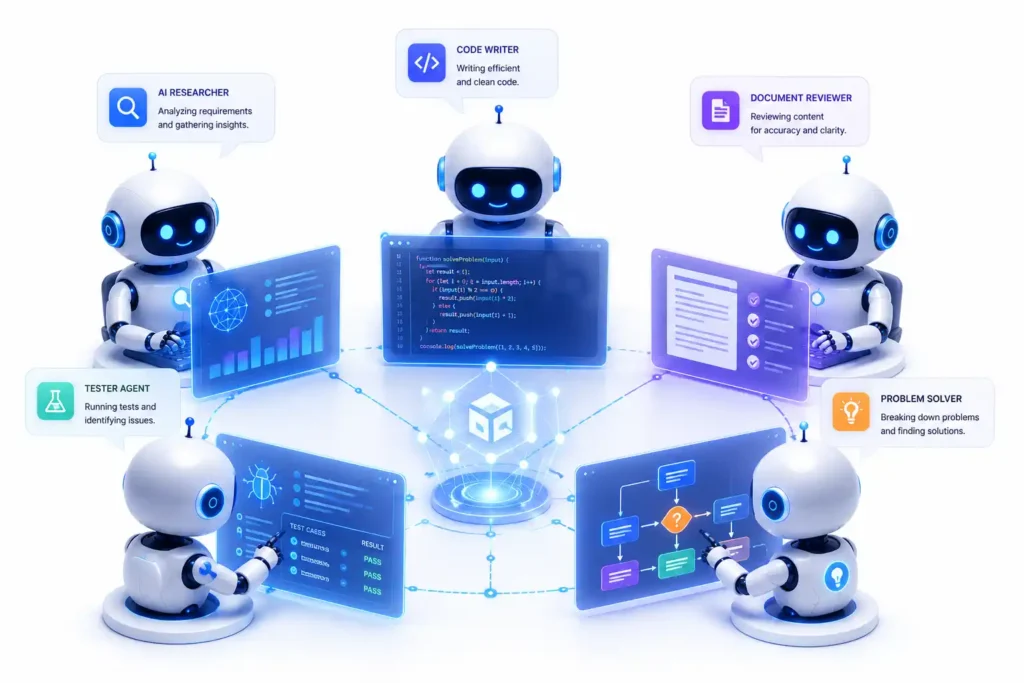
AutoGen is a framework designed for building AI systems where multiple agents communicate with each other to solve complex tasks. Developed with a focus on collaborative intelligence, AutoGen enables agents to exchange messages, delegate work, review outputs, and refine solutions before presenting the final result.
For example, in a software development workflow:
- A Planner Agent defines the task.
- A Coding Agent writes the code.
- A Reviewer Agent checks for errors.
- A Testing Agent validates functionality.
This collaborative process often produces higher-quality outcomes than relying on a single agent.
Best For
- AI experimentation
- Software development
- Multi-agent communication
- Research
- Autonomous collaboration
Key Features
- Agent-to-agent communication
- Tool integration
- Code generation
- Human oversight
- Workflow orchestration
- Flexible agent roles
- Open-source architecture
- API compatibility
Pros
✔ Excellent for collaborative AI
✔ Highly customizable
✔ Supports advanced experimentation
✔ Active open-source ecosystem
✔ Strong development flexibility
Cons
✖ Better suited to technical users
✖ Requires thoughtful workflow design
Pricing
| Plan | Pricing |
| Open Source | Free |
| Enterprise | Depends on deployment |
Ideal Users
- AI researchers
- Software engineers
- Startups
- Enterprise development teams
- Academic institutions
Why Choose AutoGen?
AutoGen is a strong option for teams that want AI agents to communicate, review one another’s work, and collaboratively solve complex technical or research problems.
Overall Rating
| Category | Rating |
| Ease of Use | ⭐⭐⭐☆☆ |
| Multi-Agent Collaboration | ⭐⭐⭐⭐⭐ |
| Developer Experience | ⭐⭐⭐⭐⭐ |
| Flexibility | ⭐⭐⭐⭐⭐ |
| Innovation | ⭐⭐⭐⭐⭐ |
10. OpenAI Agents SDK
Overview
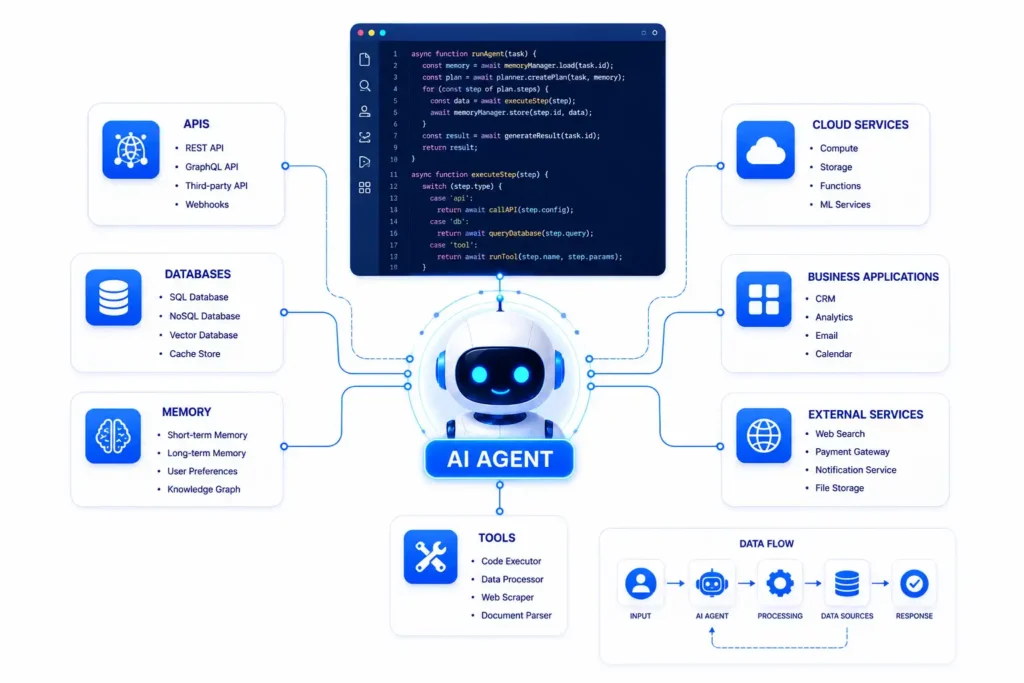
The OpenAI Agents SDK is a developer-focused framework for building AI agents capable of reasoning, using tools, maintaining context, and executing multi-step workflows. It provides a structured way to create production-ready AI applications that interact with APIs, databases, web services, and internal business systems.
Rather than building agent logic from scratch, developers can use the SDK to create intelligent workflows with built-in support for tool usage, memory, and structured outputs.
It is well suited for organizations developing custom AI-powered products or internal business automation solutions.
Best For
- Custom AI applications
- SaaS products
- Internal business automation
- Developer teams
- Enterprise software
Key Features
- Tool calling
- Multi-step reasoning
- Structured outputs
- Memory support
- API integrations
- Workflow orchestration
- Production-ready architecture
- Extensible design
Pros
✔ Powerful developer toolkit
✔ Excellent documentation
✔ Flexible architecture
✔ Reliable ecosystem
✔ Suitable for production deployments
Cons
✖ Requires programming knowledge
✖ Not intended for non-technical users
Pricing
| Plan | Pricing |
| SDK | Free |
| API Usage | Pay-as-you-go |
| Enterprise | Custom pricing |
Ideal Users
- Developers
- AI engineers
- SaaS companies
- Enterprise teams
Why Choose OpenAI Agents SDK?
If you’re building custom AI applications that require tool usage, memory, and advanced orchestration, the OpenAI Agents SDK offers a flexible and scalable foundation.
Overall Rating
| Category | Rating |
| Ease of Use | ⭐⭐⭐☆☆ |
| Developer Experience | ⭐⭐⭐⭐⭐ |
| Flexibility | ⭐⭐⭐⭐⭐ |
| Scalability | ⭐⭐⭐⭐⭐ |
| Business Value | ⭐⭐⭐⭐⭐ |
11. AgentGPT
Overview
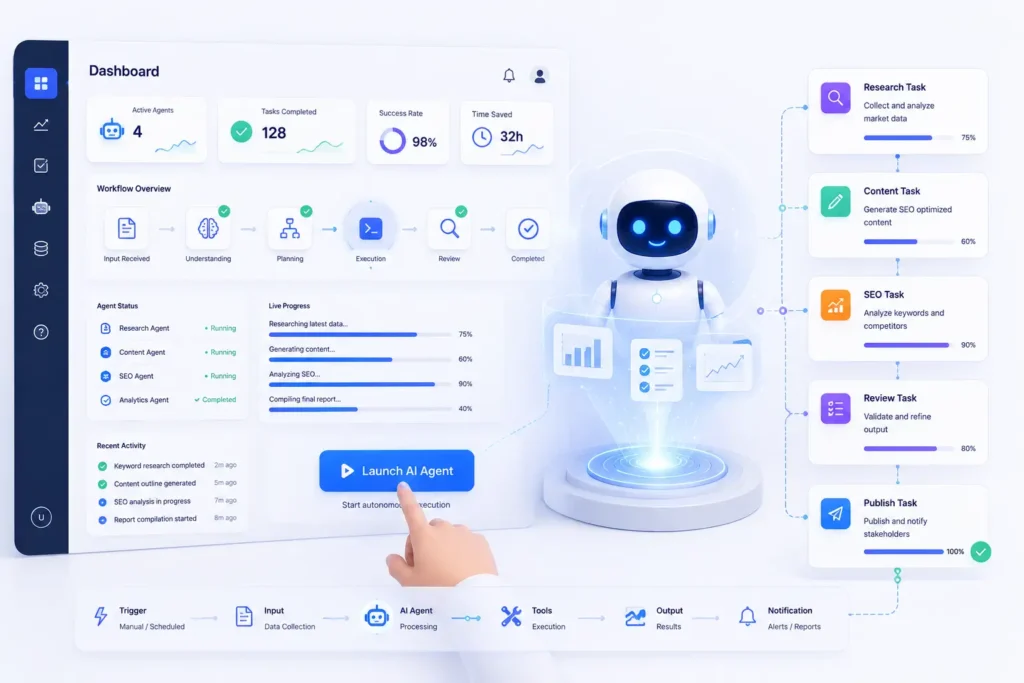
AgentGPT allows users to launch autonomous AI agents directly from a web interface without writing code. Users simply define a goal, and the AI agent attempts to break it into smaller tasks and complete them autonomously.
Its simplicity makes it a popular choice for beginners who want to experiment with autonomous AI workflows.
Best For
- Beginners
- AI experimentation
- Personal productivity
- Simple autonomous tasks
Key Features
- Browser-based interface
- Goal-driven execution
- Autonomous task planning
- No-code experience
- Simple setup
Pros
✔ Beginner-friendly
✔ Quick to start
✔ No installation required
✔ Easy experimentation
Cons
✖ Limited customization
✖ Less suitable for enterprise workflows
Pricing
| Plan | Pricing |
| Free | Available |
| Premium | Varies |
12. Flowise
Overview
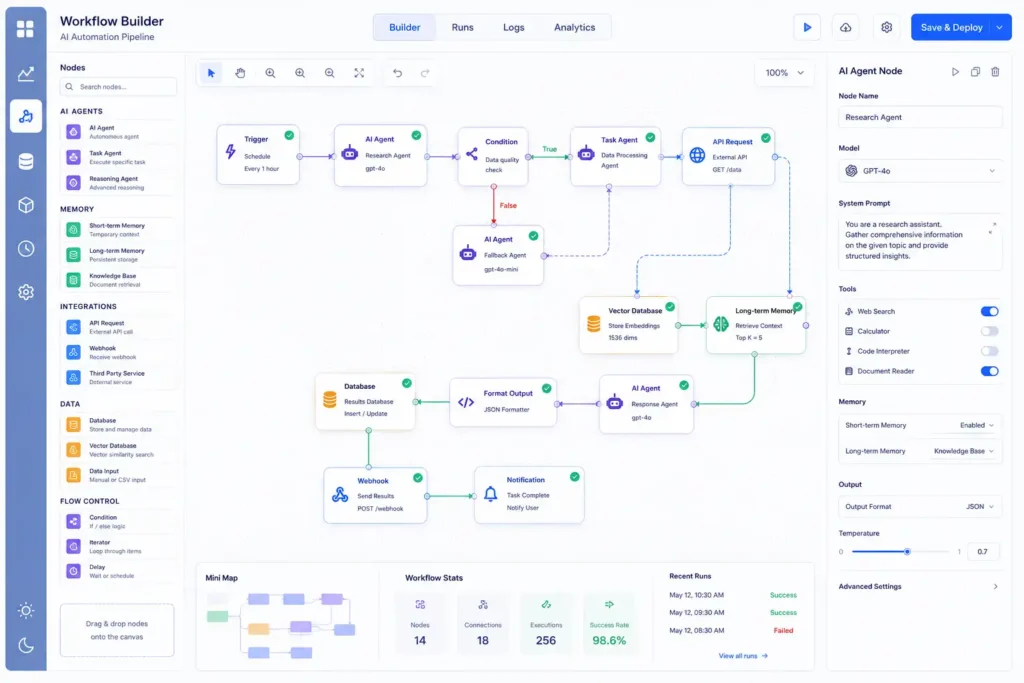
Flowise is an open-source visual builder that enables developers and businesses to create AI workflows using a drag-and-drop interface. It simplifies the creation of AI pipelines by connecting language models, memory, APIs, and external tools without extensive coding.
Flowise is particularly useful for organizations that want greater control over AI workflows while maintaining a visual development experience.
Best For
- Visual workflow design
- AI prototypes
- Developers
- Internal AI applications
Key Features
- Drag-and-drop workflow builder
- Open-source
- API integrations
- Memory support
- Custom nodes
- Flexible deployment
Pros
✔ Visual interface
✔ Highly customizable
✔ Active open-source community
✔ Supports self-hosting
Cons
✖ Advanced workflows still require technical knowledge
13. Microsoft Copilot Studio
Overview
Microsoft Copilot Studio enables organizations to create AI-powered assistants and agents tightly integrated with the Microsoft ecosystem, including Microsoft 365, Teams, Outlook, SharePoint, and Dynamics 365.
It is particularly attractive to enterprises already using Microsoft products.
Best For
- Microsoft environments
- Enterprise automation
- Internal knowledge assistants
- Customer service
Key Features
- Microsoft 365 integration
- Teams integration
- Business workflows
- Enterprise security
- Low-code development
Pros
✔ Excellent Microsoft integration
✔ Enterprise-grade security
✔ Low-code experience
✔ Strong governance features
Cons
✖ Best suited for organizations already invested in Microsoft technologies
14. Google Vertex AI Agent Builder
Overview
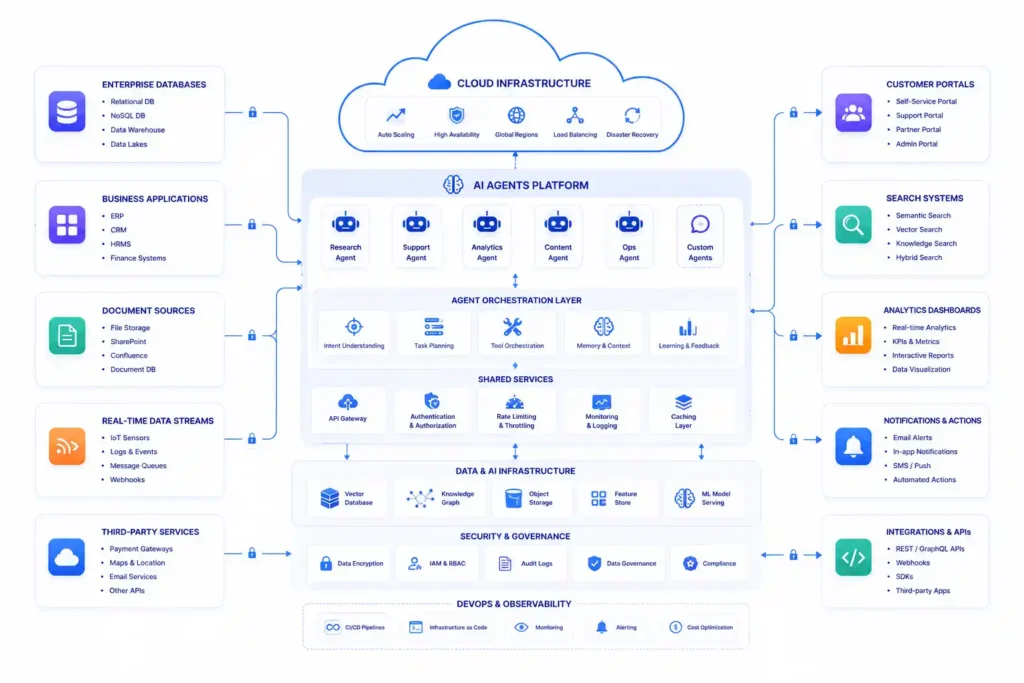
Google Vertex AI Agent Builder allows developers to build enterprise AI agents that connect with organizational data, search systems, and Google Cloud services.
It provides advanced AI capabilities for businesses requiring scalable cloud-native solutions.
Best For
- Google Cloud users
- Enterprise search
- Customer service
- AI-powered applications
Key Features
- Cloud-native deployment
- Enterprise search
- Knowledge grounding
- API integrations
- Scalable infrastructure
Pros
✔ Powerful cloud platform
✔ Strong scalability
✔ Excellent enterprise integrations
Cons
✖ Better suited for organizations already using Google Cloud
15. Salesforce Agentforce
Overview
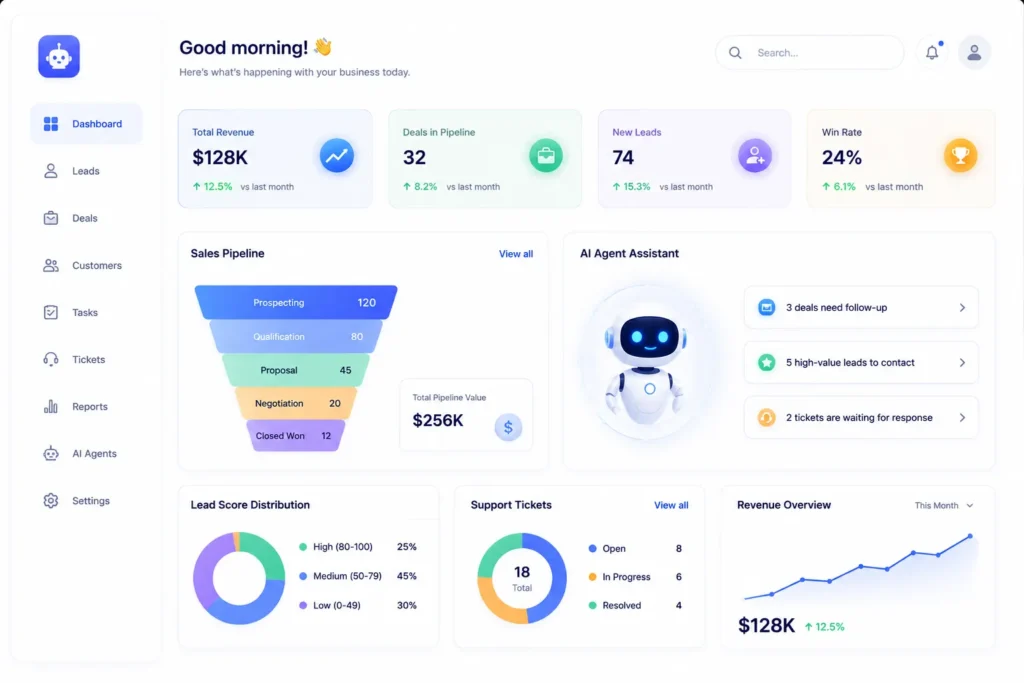
Salesforce Agentforce is designed to bring AI-powered automation directly into CRM workflows. It helps organizations automate customer interactions, sales processes, service operations, and business workflows while leveraging existing customer data.
For organizations already using Salesforce, Agentforce extends CRM capabilities with intelligent AI agents.
Best For
- Sales automation
- CRM workflows
- Customer service
- Enterprise organizations
Key Features
- CRM automation
- Customer support
- Lead qualification
- Workflow automation
- Enterprise security
- Analytics
Pros
✔ Deep CRM integration
✔ Enterprise-ready
✔ Excellent for sales teams
✔ Strong automation capabilities
Cons
✖ Primarily valuable for Salesforce customers
Best AI Agent Tools by Category
| Category | Winner | Why It Stands Out |
| Best Overall | ChatGPT Agent | Versatile, user-friendly, and capable across research, writing, coding, and productivity |
| Best for Research | Manus AI | Excels at autonomous research and report generation |
| Best for Workflow Automation | n8n | Extensive integrations and powerful automation |
| Best for Business Automation | Relevance AI | Strong no-code AI agent creation for business processes |
| Best for Multi-Agent Systems | CrewAI | Specialized agents collaborating on complex tasks |
| Best for Enterprise Workflows | LangGraph | Stateful orchestration for long-running processes |
| Best for Developers | OpenAI Agents SDK | Flexible framework for building production AI agents |
| Best Open-Source Builder | Flowise | Visual workflow creation with self-hosting options |
| Best for Microsoft Users | Microsoft Copilot Studio | Deep Microsoft ecosystem integration |
| Best for Salesforce Users | Salesforce Agentforce | AI-powered CRM automation |
Pricing Comparison
| Tool | Free Plan | Paid Option | Enterprise |
| ChatGPT Agent | ✅ | Yes | ✅ |
| Manus AI | Limited | Yes | ✅ |
| Genspark AI | Limited | Yes | ✅ |
| n8n | Self-hosted | Cloud | ✅ |
| Lindy | ✅ | Yes | ✅ |
| Relevance AI | ✅ | Yes | ✅ |
| CrewAI | Open Source | — | Optional |
| LangGraph | Open Source | — | Optional |
| AutoGen | Open Source | — | Optional |
| OpenAI Agents SDK | SDK Free | API Usage | ✅ |
| AgentGPT | ✅ | Yes | Limited |
| Flowise | Open Source | Self-hosted | Optional |
| Microsoft Copilot Studio | Trial | Yes | ✅ |
| Google Vertex AI Agent Builder | Trial | Usage-based | ✅ |
| Salesforce Agentforce | — | Yes | ✅ |
Free vs Paid AI Agent Tools
| Feature | Free Tools | Paid Tools |
| Basic AI Tasks | ✅ | ✅ |
| Advanced Reasoning | Limited | ✅ |
| Workflow Automation | Limited | ✅ |
| API Integrations | Limited | ✅ |
| Team Collaboration | Limited | ✅ |
| Enterprise Security | ❌ | ✅ |
| Dedicated Support | ❌ | ✅ |
| Scalability | Moderate | High |
| Custom Workflows | Limited | Extensive |
How to Choose the Right AI Agent Tool
With so many AI agent platforms available, choosing the right one can feel overwhelming. The best solution depends on your goals, technical expertise, budget, and the workflows you want to automate.
Before making a decision, ask yourself the following questions.
1. What Problem Are You Trying to Solve?
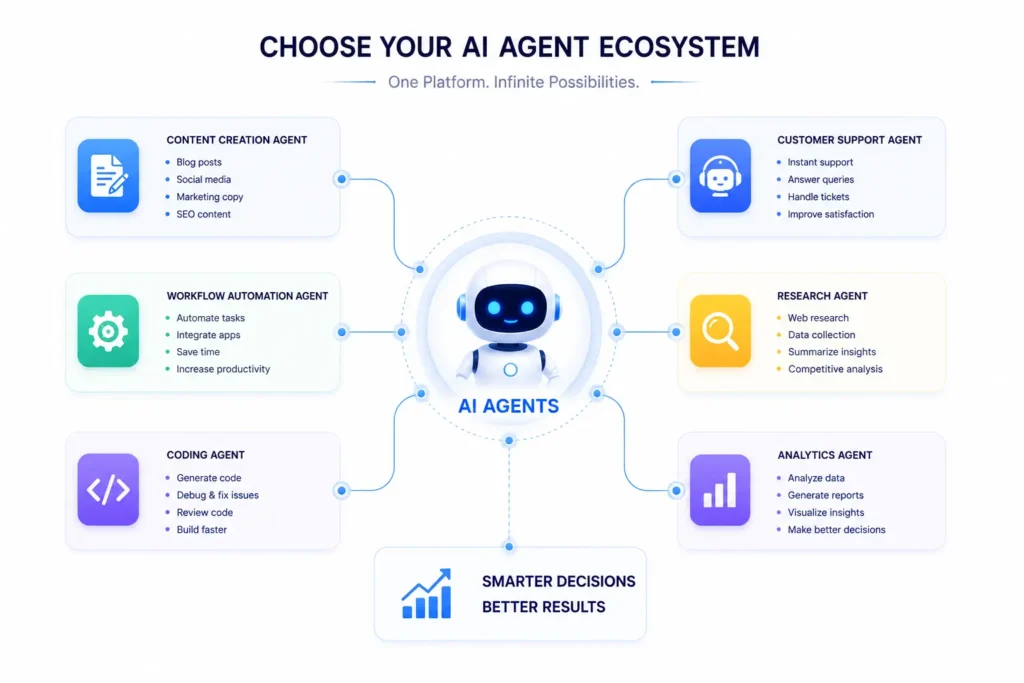
Start by identifying your primary use case.
If your goal is:
- Content creation → Look for tools with strong writing and research capabilities.
- Workflow automation → Choose platforms with broad app integrations and automation features.
- Software development → Consider developer-focused frameworks with tool calling and orchestration.
- Customer support → Select AI agents that integrate with CRM and help desk platforms.
- Business operations → Prioritize multi-agent workflows, analytics, and scalability.
Choosing a tool based on a clear business objective helps avoid unnecessary complexity.
2. Consider Ease of Use
Some AI agent tools are designed for beginners, while others require programming knowledge.
| User Type | Recommended Tools |
| Beginners | ChatGPT Agent, Lindy, AgentGPT |
| Small Businesses | n8n, Relevance AI |
| Developers | OpenAI Agents SDK, LangGraph, CrewAI, AutoGen |
| Enterprise Teams | Microsoft Copilot Studio, Salesforce Agentforce, Google Vertex AI Agent Builder |
If your team has limited technical experience, choose a no-code or low-code platform to reduce implementation time.
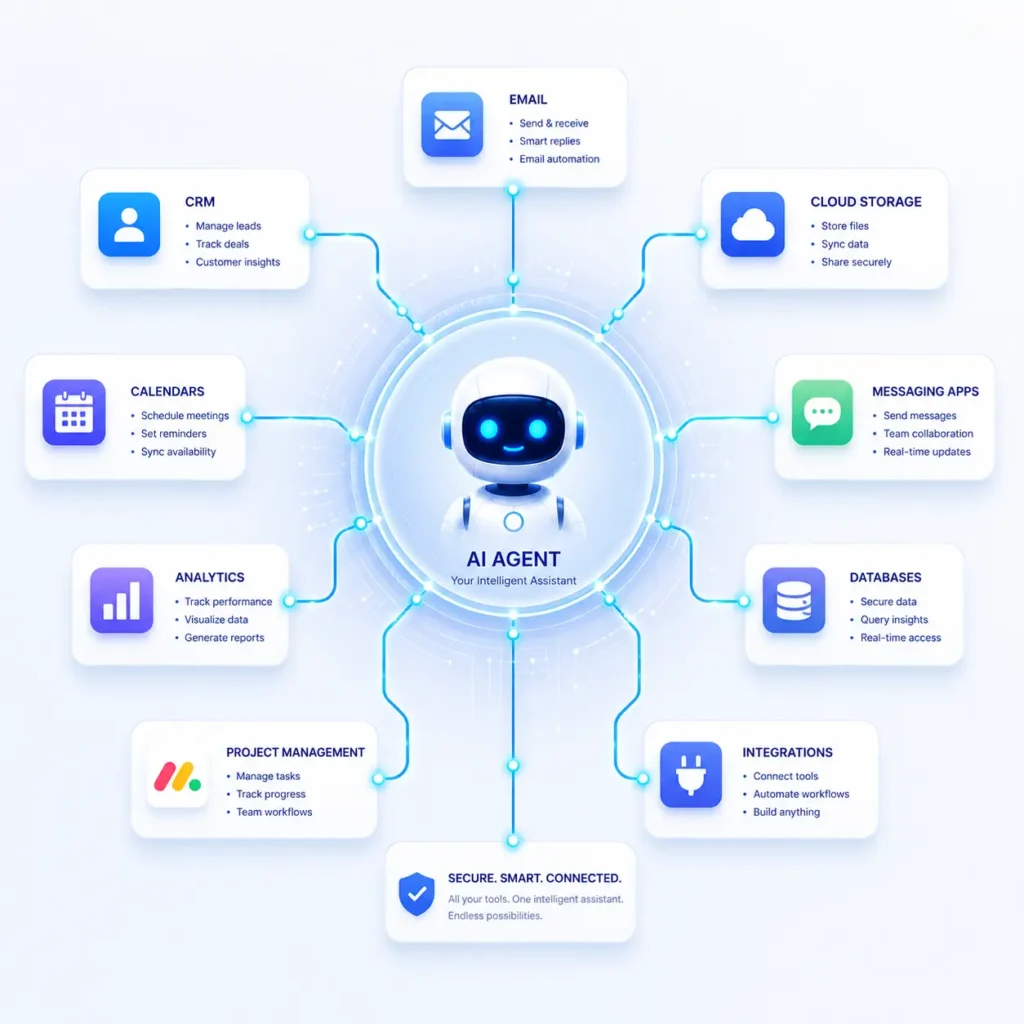
3. Check Available Integrations
An AI agent becomes significantly more valuable when it works with your existing software.
Look for integrations with:
- CRM platforms
- Email services
- Cloud storage
- Calendar apps
- Messaging tools
- Project management software
- Analytics platforms
- Databases
- APIs
The more seamlessly your AI agent fits into your workflow, the greater the productivity gains.
4. Evaluate Security and Privacy
If your AI agent will process customer information, financial records, or internal business documents, security should be a top priority.
Look for features such as:
- Role-based access controls
- Data encryption
- Audit logs
- Compliance support
- Secure API connections
- Enterprise administration tools
Organizations operating in regulated industries should verify that the platform meets relevant compliance requirements.
5. Compare Pricing and Scalability
A free plan may be enough for personal use, but growing businesses often require advanced capabilities such as:
- Higher usage limits
- Team collaboration
- Workflow automation
- API access
- Dedicated support
- Enterprise security
Choose a platform that can scale with your business rather than one that only meets your current needs.
Decision Checklist
Before selecting an AI agent, make sure it meets these requirements:
- Supports your primary use case
- Fits your technical skill level
- Integrates with existing tools
- Offers strong security features
- Provides room for future growth
- Fits your budget
Our Top Recommendations
| Use Case | Recommended Tool |
| Best Overall | ChatGPT Agent |
| Best for Research | Manus AI |
| Best for Workflow Automation | n8n |
| Best for Business Teams | Relevance AI |
| Best for Developers | OpenAI Agents SDK |
| Best Open-Source Framework | LangGraph |
| Best Multi-Agent Collaboration | CrewAI |
| Best Executive Assistant | Lindy |
| Best Enterprise CRM | Salesforce Agentforce |
| Best Microsoft Ecosystem | Microsoft Copilot Studio |
Conclusion
AI agents are transforming the way people work by moving beyond simple conversations to complete, goal-driven task execution. Whether you need help with research, workflow automation, software development, customer support, or business operations, there is an AI agent platform designed for your specific use case.
For individuals and small teams, user-friendly tools such as ChatGPT Agent, Lindy, and Manus AI offer powerful capabilities with minimal setup. Businesses looking to automate processes can benefit from Relevance AI and n8n, while developers and enterprise organizations have access to advanced frameworks like the OpenAI Agents SDK, CrewAI, LangGraph, and AutoGen.
The right AI agent depends on your objectives, technical expertise, budget, and existing technology stack. By evaluating these factors carefully, you can choose a solution that improves productivity today and scales with your future needs.
As AI technology continues to evolve, AI agents are expected to become even more autonomous, collaborative, and deeply integrated into everyday business workflows. Organizations that begin exploring these tools now will be well positioned to take advantage of the next wave of AI-driven innovation.
New to AI agents? Start by reading our What Is an AI Agent? guide to understand the fundamentals, then explore our comparisons of AI agent frameworks, use cases, and tutorials to find the best solution for your needs.
FAQs
Which is the best AI agent tool in 2026?
There isn’t a single best tool for everyone. ChatGPT Agent is an excellent all-around choice for productivity and research, while n8n excels at workflow automation, Manus AI specializes in autonomous research, and CrewAI is ideal for multi-agent collaboration.
Are AI agent tools free?
Many AI agent tools offer free plans or open-source versions with basic functionality. However, advanced features such as larger usage limits, premium integrations, enterprise security, and team collaboration typically require a paid subscription.
What is the best AI agent for small businesses?
Small businesses often benefit from platforms that are easy to use and require minimal setup. ChatGPT Agent, Relevance AI, n8n, and Lindy are popular choices because they combine automation, productivity, and business-friendly features.
Which AI agent is best for developers?
Developers usually need flexibility and customization. Frameworks such as the OpenAI Agents SDK, LangGraph, CrewAI, AutoGen, and Flowise provide powerful tools for building custom AI applications and multi-agent systems.
Can AI agents replace employees?
AI agents are designed to automate repetitive tasks and assist with workflows, not replace human expertise. They work best when paired with human oversight for strategic thinking, creativity, and decision-making.
What industries use AI agents?
AI agents are used across many industries, including:
Healthcare
Finance
Marketing
Education
Retail
Manufacturing
Human Resources
Customer Support
Logistics
Software Development
Are AI agents secure?
Most enterprise AI platforms provide security features such as encryption, access controls, and compliance tools. However, businesses should still follow best practices for data governance and monitor AI-generated outputs.
Do AI agents require coding?
Not always. Many platforms offer no-code or low-code builders, allowing non-technical users to create AI workflows through visual interfaces. More advanced frameworks typically require programming knowledge.
What is the difference between an AI assistant and an AI agent?
An AI assistant primarily responds to prompts and answers questions, while an AI agent can understand goals, plan multiple steps, interact with external tools, and execute tasks autonomously.
Can AI agents work together?
Yes. Multi-agent frameworks such as CrewAI and AutoGen enable specialized AI agents to collaborate by sharing information, delegating tasks, and reviewing each other’s work.